AI & Audio
Vibe
A local AI transcription application for audio, video, microphone and system audio, with speaker diarization and subtitle-friendly timing.
Our editorial review
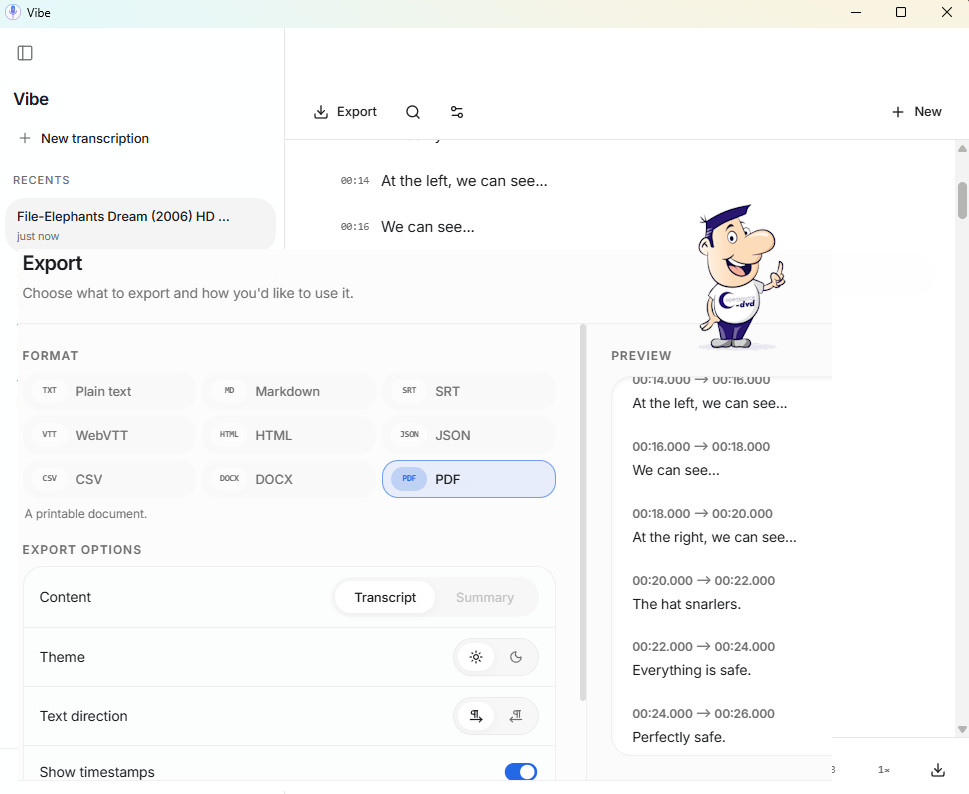
Vibe converts speech from audio and video files into text using local AI models such as Whisper and other supported speech-recognition models. Because the transcription runs on the user's own computer, recordings do not have to be uploaded to an online transcription service. One or more files can be opened at once, and speech can also be captured directly from a microphone.
The program can record system audio and distinguish different speakers in a conversation, making it useful for interviews, meetings and subtitle work. The combination of local processing, several model choices and a straightforward desktop interface is what makes Vibe particularly interesting to us as an example of practical AI software that can be used without sending the source material to the cloud.
Why we recommend it
We recommend Vibe because it combines powerful speech recognition with a user-friendly desktop interface while keeping transcription on the local computer. It is useful not only for converting recordings into text, but also for preparing subtitles, distinguishing speakers and working with live audio sources without relying on a cloud transcription service for the core task.
Strengths
- Local speech-to-text processing with customizable Whisper models
- Transcription of audio and video files, microphone input and system audio
- Speaker diarization for distinguishing different speakers
- Stable timestamp mode and adjustable caption length for subtitle work
- GPU acceleration for supported Nvidia, AMD and Intel graphics hardware
Things to consider
Transcription speed and accuracy depend on the selected model, recording quality, language and available hardware. Speaker diarization and precise subtitle timing can require additional processing time, and important transcripts should still be proofread.
Reviewed by Christian Trabi / OpenSource-DVD
Tested version: 3.3.0
Test platform: Windows 11, 64-bit
Last reviewed: November 2026
DIRECT DOWNLOAD
Download Vibe 3.3.0
Download the Windows version directly from the OpenSource-DVD.org server.
SOURCE CODE
Download Vibe source code
Download the source archive for this open source project.
Project information
Visit the official project page for documentation, release notes and additional project information.