Audio & Video
VLC Media Player
A versatile media player that handles a very wide range of audio, video and streaming formats.
Our editorial review
VLC Media Player has developed into a real all-rounder among media players. It can handle Blu-ray, DVD, VCD and audio playback and, in most cases, does not depend on separately installed codecs because it already includes support for a very wide range of formats. It is equally useful for conventional video files, HDR and 360-degree video, network playback and video-on-demand.
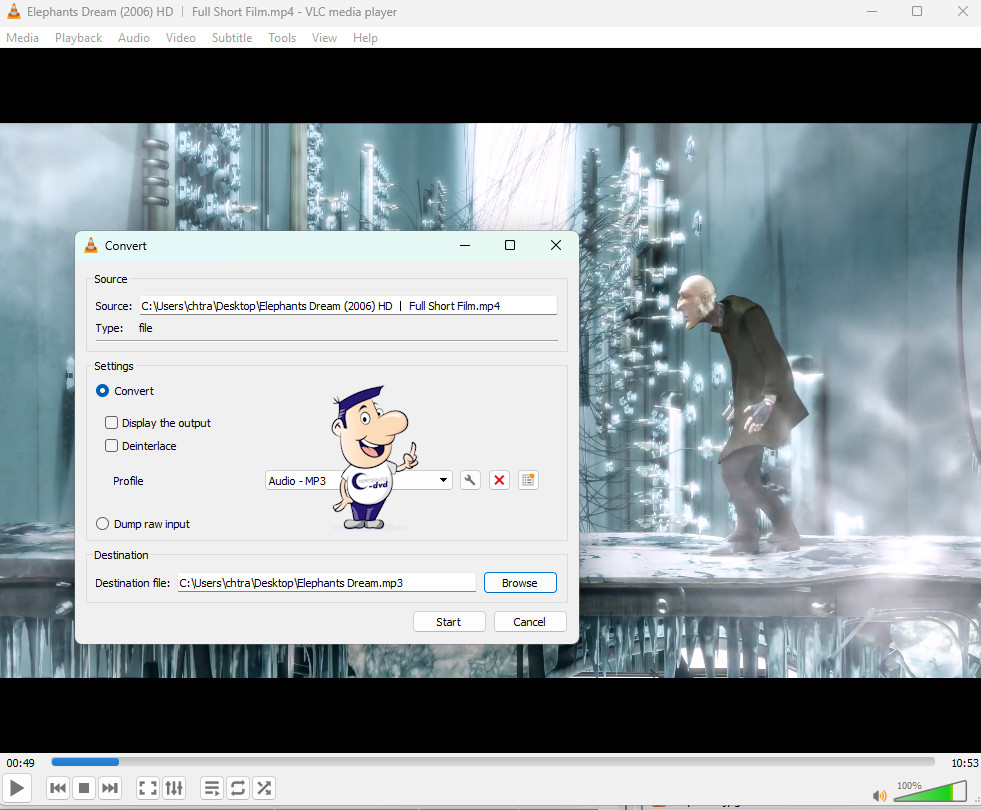
VLC is more than a player. Its conversion functions can save unprotected discs and media files in a variety of video and audio formats, while playlists, visualisations, an equalizer and support for alternative skins round off the package. This combination of format support and practical extras is the main reason VLC remains one of our standard recommendations for Windows.
Why we recommend it
VLC earns its place because it is one of those utilities that solves a problem immediately: when Windows or another player refuses a file, VLC often opens it. Beyond playback, it can also convert media and stream content across a network.
Strengths
- Excellent format support
- Works well for both local files and streams
- Useful subtitle and audio-track controls
- Includes conversion and network features
Things to consider
Its interface exposes many advanced options and can feel dense if you only need basic playback. Some commercial streaming services use protected formats that VLC cannot simply bypass.
Reviewed by Christian Trabi / OpenSource-DVD
Tested version: 3.0.24
Test platform: Windows 11, 64-bit
Last reviewed: November 2026
DIRECT DOWNLOAD
Download VLC Media Player 3.0.24
Download the Windows version directly from the OpenSource-DVD.org server.
SOURCE CODE
Download VLC Media Player source code
Download the source archive for this open source project.
Project information
Visit the official project page for documentation, release notes and additional project information.