Graphics & Photography
RapidRAW
A modern, GPU-accelerated and non-destructive RAW photo editor focused on a fast creative workflow.
Our editorial review
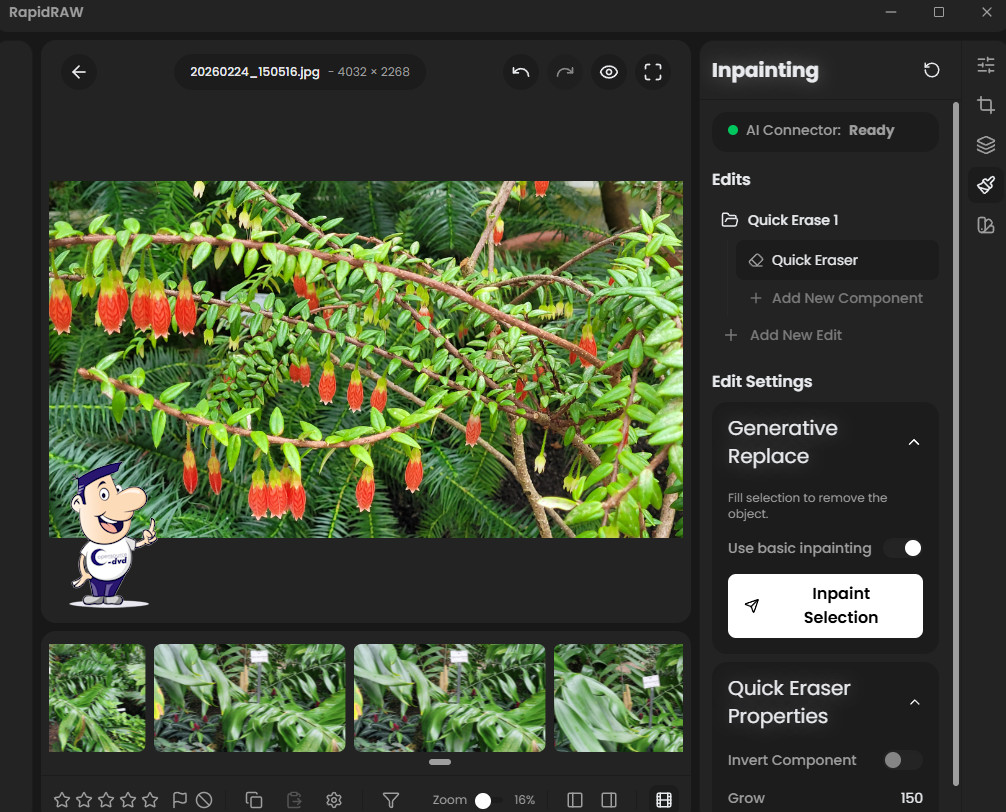
RapidRAW is designed for users who want impressive photo-editing results without having to work through a complicated professional interface. Image folders are added to the program and displayed as clear thumbnails; a double-click opens the selected photo in the editor. Most adjustments are made simply by moving sliders, with a live preview showing the effect immediately.
Alongside conventional RAW and photo corrections, RapidRAW can incorporate AI-assisted functions, which makes it particularly interesting for modern photo workflows. Its strength is the combination of a relatively direct interface and advanced processing options: beginners can start with familiar controls, while more ambitious users have room to explore further adjustments.
Why we recommend it
We recommend RapidRAW because it brings fresh ideas to open source photo editing and provides a modern alternative for photographers who want a cleaner workflow than some long-established RAW tools. Its active development also makes it especially interesting to follow.
Strengths
- Non-destructive RAW editing
- GPU-accelerated workflow
- Modern interface and creative adjustment tools
- Optional integration with local generative-AI workflows
Things to consider
RapidRAW is still a comparatively young project and may change quickly. Users who need mature professional colour-management or mission-critical stability should test it carefully alongside established RAW editors.
Reviewed by Christian Trabi / OpenSource-DVD
Tested version: 1.6.7
Test platform: Windows 11, 64-bit
Last reviewed: November 2026
DIRECT DOWNLOAD
Download RapidRAW 1.6.7
Download the Windows version directly from the OpenSource-DVD.org server.
SOURCE CODE
Download RapidRAW source code
Download the source archive for this open source project.
Project information
Visit the official project page for documentation, release notes and additional project information.