Audio & Video
Subtitle Edit
A specialised editor for creating, correcting, synchronising and translating subtitles.
Our editorial review
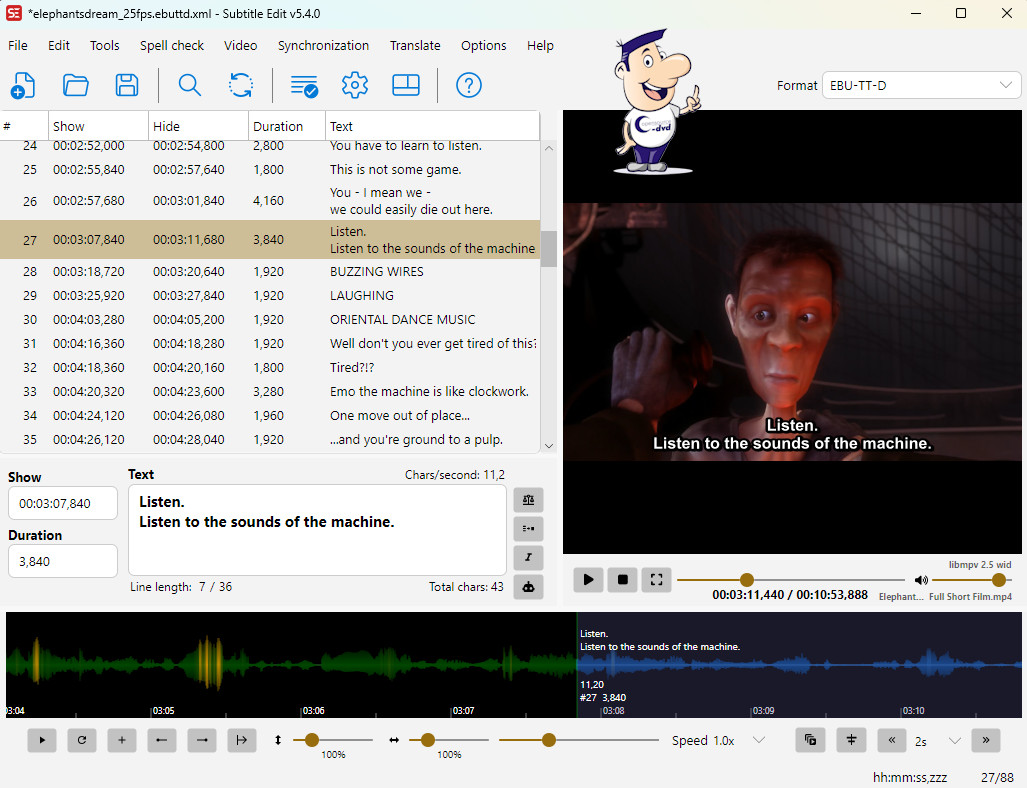
Subtitle Edit is a powerful editor for creating, correcting, synchronizing and translating subtitles. Existing subtitles can be shifted or retimed, while new ones can be created from scratch and aligned accurately with the video.
Timeline, waveform and spectrogram views make it much easier to match spoken passages with subtitle timings. This visual approach is especially helpful when correcting material that is slightly out of sync. Subtitle Edit supports a large number of subtitle formats and combines the essential timing tools with practical editing functions in one application, which is why it remains one of our preferred tools for subtitle work.
Why we recommend it
We recommend Subtitle Edit because it covers both simple subtitle corrections and demanding projects. It is useful not only for films and series but also for tutorials, training videos, accessibility work and online video production.
Strengths
- Precise subtitle timing tools
- Waveform and spectrogram views
- Broad subtitle-format support
- OCR, batch processing and transcription options
Things to consider
Automatic translation, OCR and speech recognition still require human checking. Some advanced AI or external-engine features may need additional components or configuration.
Reviewed by Christian Trabi / OpenSource-DVD
Tested version: 5.2.0
Test platform: Windows 11, 64-bit
Last reviewed: November 2026
DIRECT DOWNLOAD
Download Subtitle Edit 5.2.0
Download the Windows version directly from the OpenSource-DVD.org server.
SOURCE CODE
Download Subtitle Edit source code
Download the source archive for this open source project.
Project information
Visit the official project page for documentation, release notes and additional project information.