Files & Archives
Double Commander
A two-panel file manager for users who want faster copying, comparing, searching and organising than Explorer provides.
Our editorial review
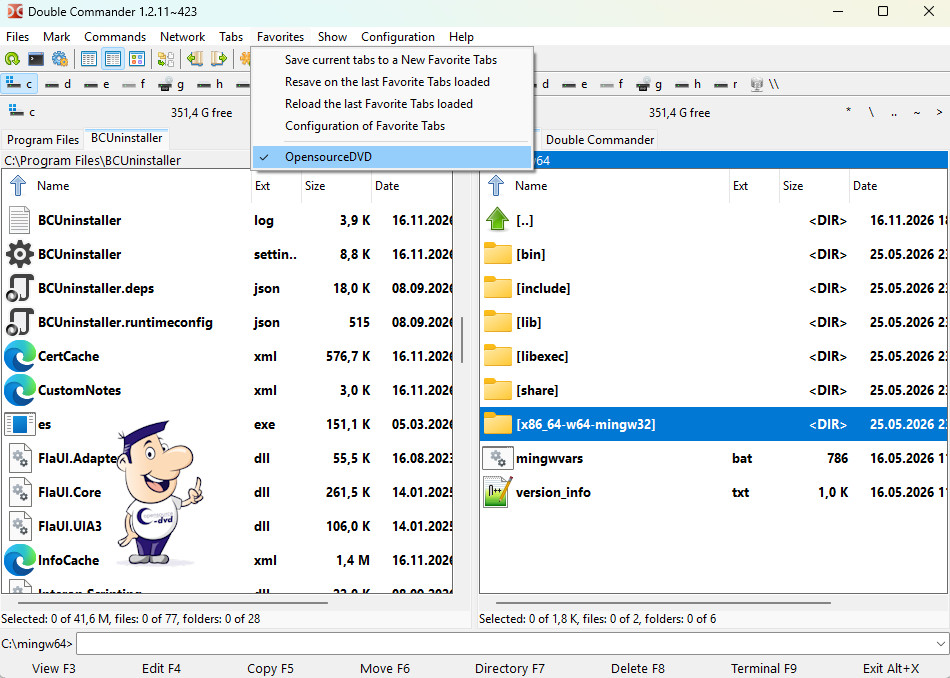
Double Commander provides many functions that are missing from the standard Windows File Explorer. Its main advantage is the two-panel layout, with independent folder views on each side and additional tabs for frequently used locations. Basic file operations are joined by archive support and a directory synchronization function.
The built-in text editor supports syntax highlighting for languages such as HTML, C++, Perl, SQL and PHP, while the viewer can open files as text, binary data or hexadecimal. Additional tools search files and text, compare, join, split and rename files. For users who regularly move and organise large numbers of files, the two-panel workflow can be considerably faster than working with several Explorer windows.
Why we recommend it
We recommend Double Commander because the two-panel layout can make repetitive file work dramatically more efficient. It is particularly useful for people who regularly move, compare or rename large numbers of files.
Strengths
- Dual-pane interface
- Tabs and background file operations
- Built-in viewer, editor and multi-rename tools
- Archive and plug-in support
Things to consider
The interface is more utilitarian than Windows Explorer and has many controls. Casual users who rarely manage files beyond opening documents may not need its additional complexity.
Reviewed by Christian Trabi / OpenSource-DVD
Tested version: 1.2.9
Test platform: Windows 11, 64-bit
Last reviewed: November 2026
DIRECT DOWNLOAD
Download Double Commander 1.2.9
Download the Windows version directly from the OpenSource-DVD.org server.
SOURCE CODE
Download Double Commander source code
Download the source archive for this open source project.
Project information
Visit the official project page for documentation, release notes and additional project information.