Internet & Networking
FileZilla
A graphical client for transferring files between Windows computers and remote servers.
Our editorial review
FileZilla is a feature-rich FTP client for downloading files from public servers or transferring website files to a hosting provider. In addition to classic FTP, it can establish secure SFTP connections over SSH. Server accounts are organised in the Site Manager, and uploads and downloads can be started conveniently by drag and drop.
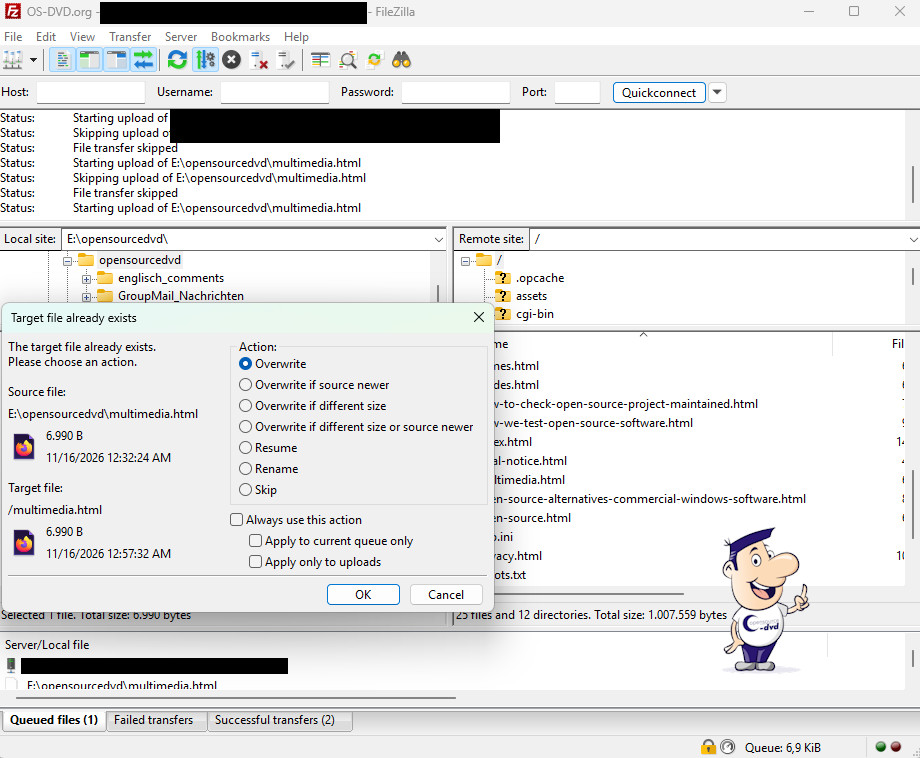
Interrupted transfers can be resumed, while files and folders can be placed in a queue and processed later. The clear two-sided file view makes local and remote folders easy to compare. For anyone who regularly maintains a website or moves files to and from servers, FileZilla remains a practical and dependable choice.
Why we recommend it
We recommend FileZilla because it makes server file transfer understandable to users who do not want to rely on command-line tools. It remains particularly useful for traditional web hosting, server maintenance and SFTP access.
Strengths
- FTP, FTPS and SFTP support
- Side-by-side local and remote file views
- Site Manager for saved connections
- Transfer queue for larger jobs
Things to consider
FTP without encryption should generally be avoided when secure alternatives are available. Users should also take care with saved credentials on shared computers.
Reviewed by Christian Trabi / OpenSource-DVD
Tested version: 3.72.1
Test platform: Windows 11, 64-bit
Last reviewed: November 2026
DIRECT DOWNLOAD
Download FileZilla 3.72.1
Download the Windows version directly through OpenSource-DVD.org.
SOURCE CODE
Download FileZilla source code
Download the source archive for this open source project.
Project information
Visit the official project page for documentation, release notes and additional project information.