Security & Privacy
KeePassXC
A local password manager that stores credentials in an encrypted database under your control.
Our editorial review
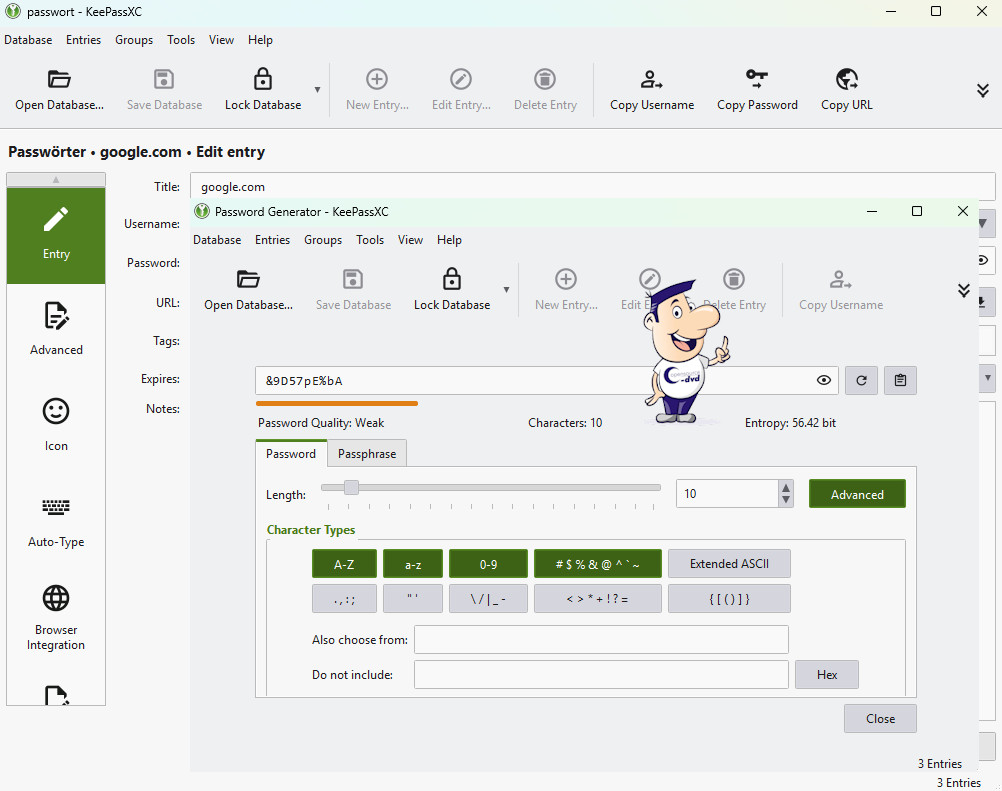
KeePassXC manages, generates and copies passwords inside encrypted databases. A new database can be protected with a master password and, if desired, an additional key file. Login details can be organised into freely defined groups, and the built-in password generator helps create strong new passwords instead of reusing old ones.
Credentials can be transferred through the clipboard or filled into forms more quickly with Auto-Type. KeePassXC can also generate time-based one-time passwords for two-factor authentication, export databases to formats such as HTML, CSV or XML and integrate with supported browsers. For users who want their password database stored locally rather than tied to an online service, it is one of our strongest recommendations.
Why we recommend it
We recommend KeePassXC for users who want strong password management while retaining control over where the encrypted database is stored. The database can remain only on one computer or be synchronised through a service chosen by the user.
Strengths
- Encrypted local database
- No mandatory cloud service
- Strong password generator
- Browser integration and cross-platform availability
Things to consider
Because the database is under your control, backups and synchronisation are also your responsibility. Losing both the database and its backups, or forgetting the master password, can mean losing access to stored credentials.
Reviewed by Christian Trabi / OpenSource-DVD
Tested version: 2.8.0
Test platform: Windows 11, 64-bit
Last reviewed: November 2026
DIRECT DOWNLOAD
Download KeePassXC 2.8.0
Download the Windows version directly from the OpenSource-DVD.org server.
SOURCE CODE
Download KeePassXC source code
Download the source archive for this open source project.
Project information
Visit the official project page for documentation, release notes and additional project information.