Productivity & Utilities
ShareX
A feature-rich screenshot and screen-capture tool with automation, annotation and sharing workflows.
Our editorial review
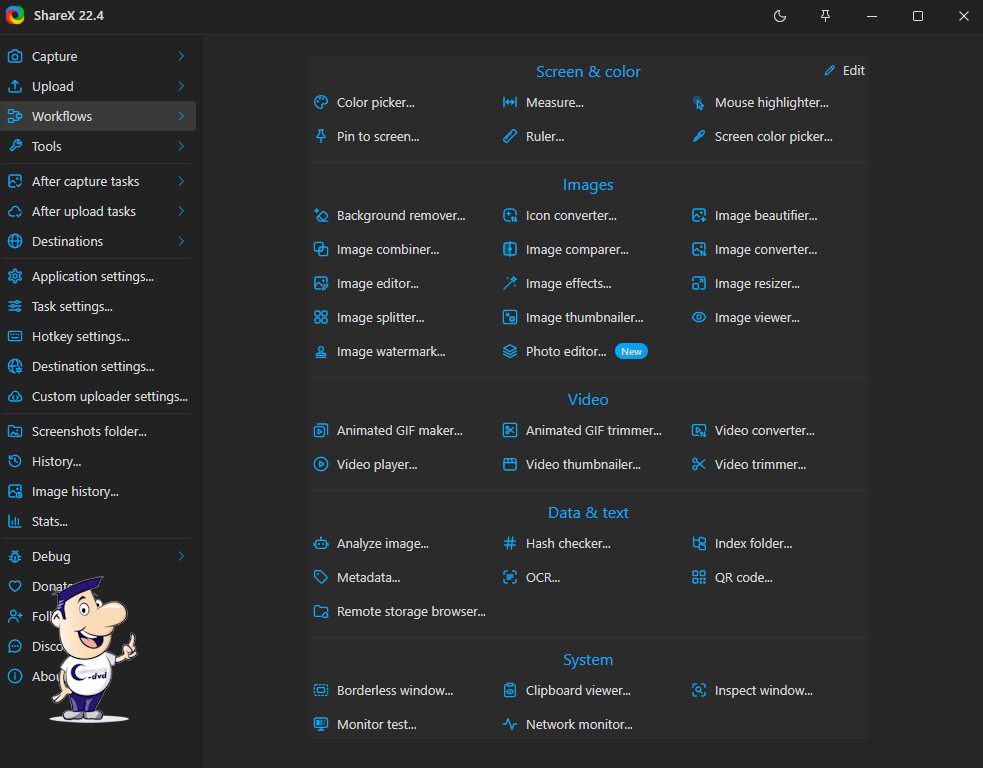
Few screenshot tools offer as many capture methods as ShareX. It can capture the full screen, individual windows, rectangular or freehand regions, polygons, other monitors, scrolling areas and even web pages. Captured files can optionally be uploaded to services such as Imgur, and separate destinations can be chosen for images, text and other files.
ShareX can also record desktop activity as MP4 video or animated GIF. Its collection of additional tools is unusually broad and includes a colour picker, image editor and effects, OCR text recognition, a video converter, thumbnail creation and image joining. This makes ShareX much more than a simple screenshot utility, although the large number of options can take some time to explore.
Why we recommend it
We recommend ShareX because it turns a routine task into a flexible workflow. People who make documentation, tutorials or support instructions can save many repetitive steps by automating what happens after each capture.
Strengths
- Many screenshot modes
- Annotation and OCR tools
- Highly configurable workflows
- Screen recording and productivity extras
Things to consider
Its extensive menus can overwhelm users who only want a simple Print Screen replacement. Upload destinations should be configured carefully when captures may contain private information.
Reviewed by Christian Trabi / OpenSource-DVD
Tested version: 21.0.0
Test platform: Windows 11, 64-bit
Last reviewed: November 2026
DIRECT DOWNLOAD
Download ShareX 21.0.0
Download the Windows version directly from the OpenSource-DVD.org server.
SOURCE CODE
Download ShareX source code
Download the source archive for this open source project.
Project information
Visit the official project page for documentation, release notes and additional project information.