Internet & Communication
Thunderbird
An open source desktop client for email, calendars, contacts and multiple accounts.
Our editorial review
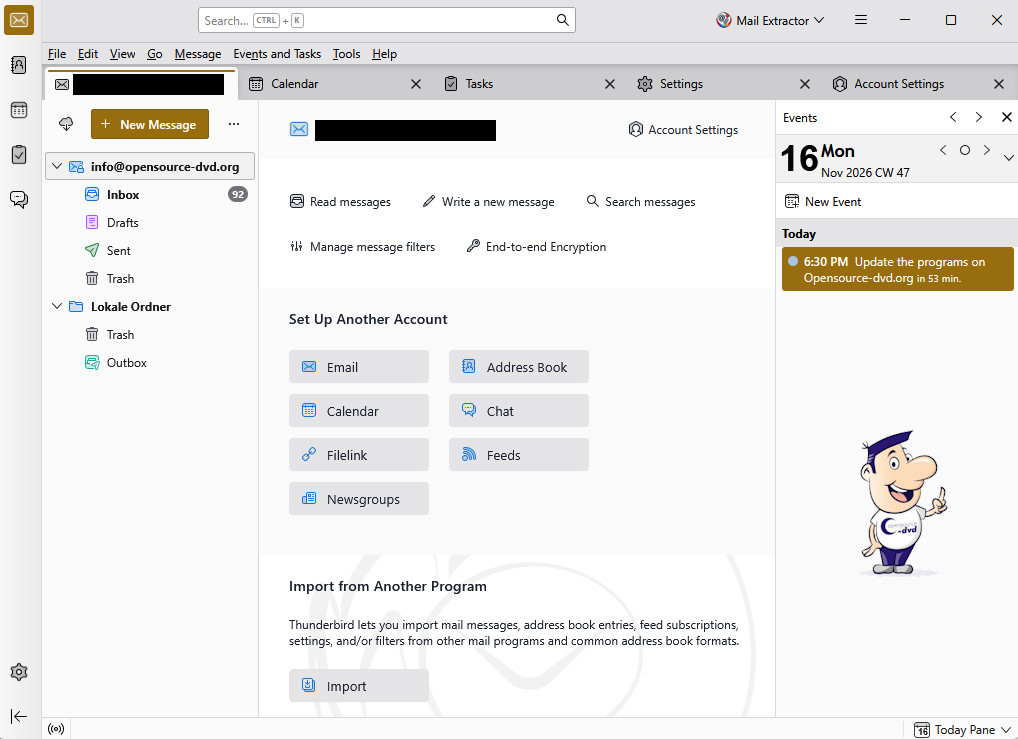
Thunderbird is an easy-to-use mail client with support for IMAP and POP accounts, HTML messages, phishing protection, search, spell checking, virtual folders, message grouping, local address books, PGP encryption and digital signatures. One especially practical detail is that several messages can be opened in separate tabs, much like pages in a web browser.
Thunderbird also handles RSS feeds and includes a calendar for appointments and tasks. Messages can be turned directly into calendar entries or tasks, while iCalendar, WebDAV and CalDAV support help exchange and synchronize calendar data. This combination makes Thunderbird more than a simple mail program and a good central tool for everyday communication and planning.
Why we recommend it
We recommend Thunderbird because it gives users control over their email workflow and works with many providers instead of being built around one web service. For people who manage several addresses, a local client can be considerably more efficient than multiple browser tabs.
Strengths
- Works with many email providers
- Unified desktop workflow for multiple accounts
- Integrated calendar and contacts
- Extensible and highly configurable
Things to consider
Initial account setup and advanced filtering can be more involved than using a provider’s webmail. Mail data should also be included in a reliable backup strategy.
Reviewed by Christian Trabi / OpenSource-DVD
Tested version: 153.5.0esr
Test platform: Windows 11, 64-bit
Last reviewed: November 2026
DIRECT DOWNLOAD
Download Thunderbird 153.5.0esr
Download the Windows version directly from the OpenSource-DVD.org server.
SOURCE CODE
Download Thunderbird source code
Download the source archive for this open source project.
Project information
Visit the official project page for documentation, release notes and additional project information.